The Use Global Maximum Deliveries for Time Slots setting applies a single delivery limit across all your time slots, whether they belong to default or custom delivery schedules.
Let’s consider a bakery offering different delivery schedules, but it can only fulfill 5 deliveries per time slot. Once the limit is reached for a particular time slot (e.g., 10:00 AM – 10:30 AM), that slot becomes unavailable across all schedules.
Setting Up Global Time Slot Limits for Order Deliveries #
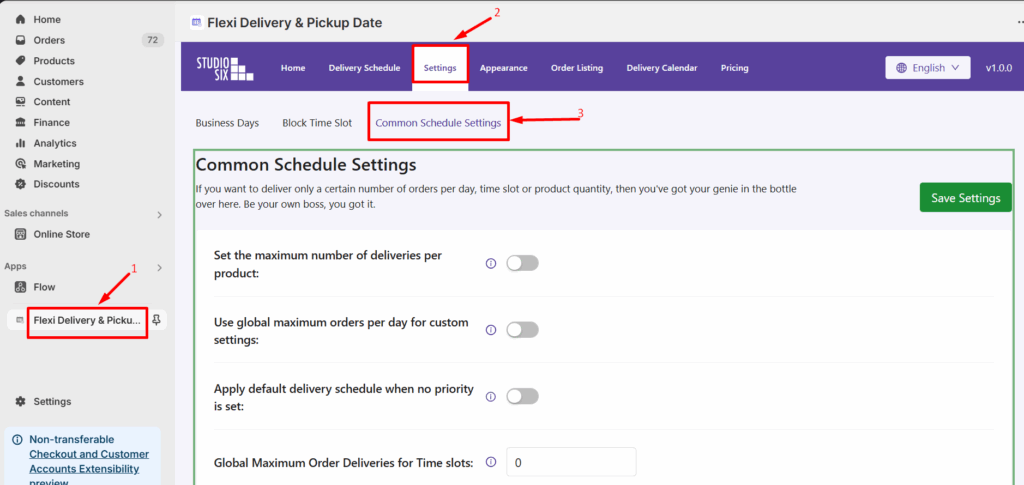
From your Shopify admin dashboard, go to Apps > Flexi Delivery & Pickup Date > Settings > Common Schedule Settings.
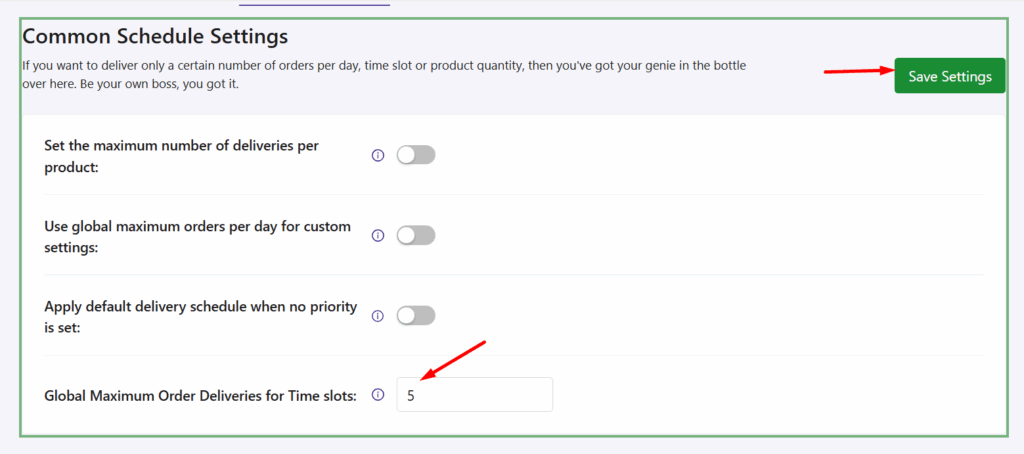
Enter a value for ‘Global Maximum Deliveries per Time Slot’, then click ‘Save Settings’ to apply the changes.
Important Note
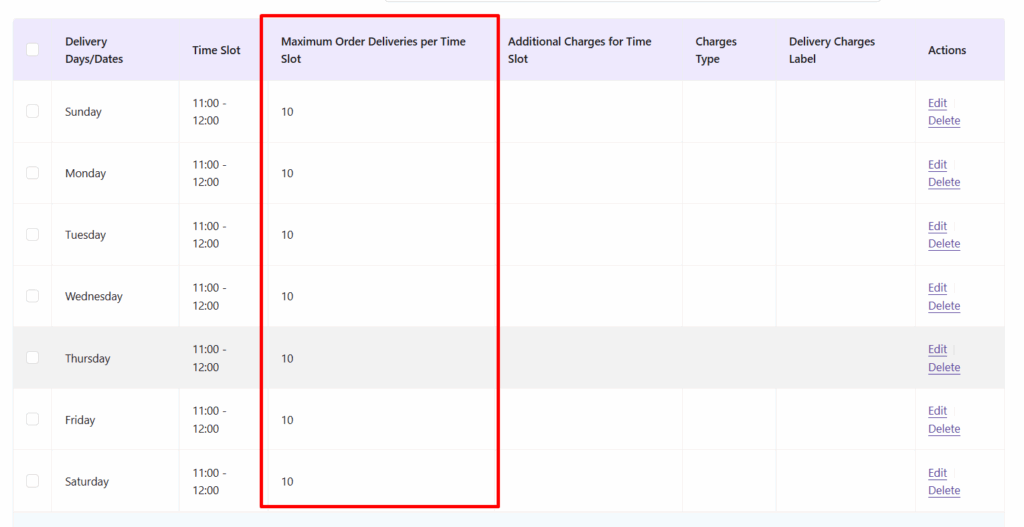
If a time slot already has an individual limit set (via the Custom or Default Delivery Schedule)by going to the Order Delivery Date -> Delivery Schedule -> Custom Delivery Schedule -> Timeslot -> ‘Maximum Order Deliveries per time slot (based on per order)’, then that individual limit takes precedence.
The Global limit only applies to time slots without any specific per-slot limit.
Frontend Experience: What Your Customers Will See #
A time slot without an individual limit will allow only up to 5 orders across the entire store, based on the global setting.
Let’s look at 10:00 AM – 10:30 AM, which exists in both the default and custom schedule: 2 customers book this slot based on the default delivery schedule and 3 customer books the same time slot based on the custom delivery schedules.
Now that the time slot 10:00 AM – 10:30 AM limit has been reached, it will be disabled on the checkout page for further deliveries.
Output not working as expected


