When you set a cut-off time for Same Day and Next Day delivery, you can control whether an order can be delivered today or tomorrow.
But with the options of Additional Charges for Same Day Delivery and Additional Charges for Next Day Delivery, you can set charges for faster shipping. These charges will only be applied at checkout if the cut-off time is met for the selected delivery option.
We’ll take a look at how additional charges can be set for:
- Same Day Delivery Charges
- Next Day Delivery Charges
Same Day Delivery Charges #
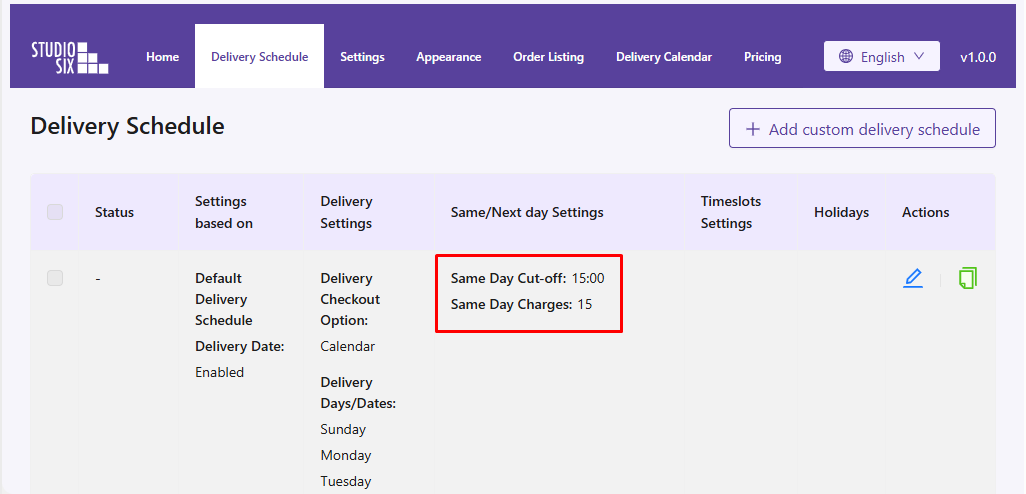
Same Day Delivery Charges allow you to add an extra fee when customers choose to have their order delivered on the same day it is placed. Imagine you run a cake shop and want to offer Same Day delivery for an extra $15. Here’s how to configure it:
Admin Configuration #
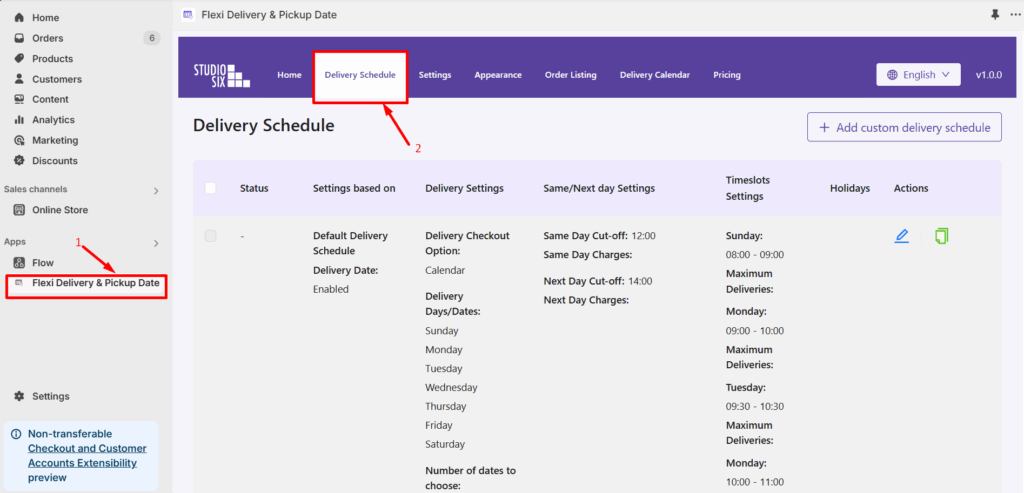
- Go to Apps > Flexi Delivery & Pickup Date > Delivery Schedule.
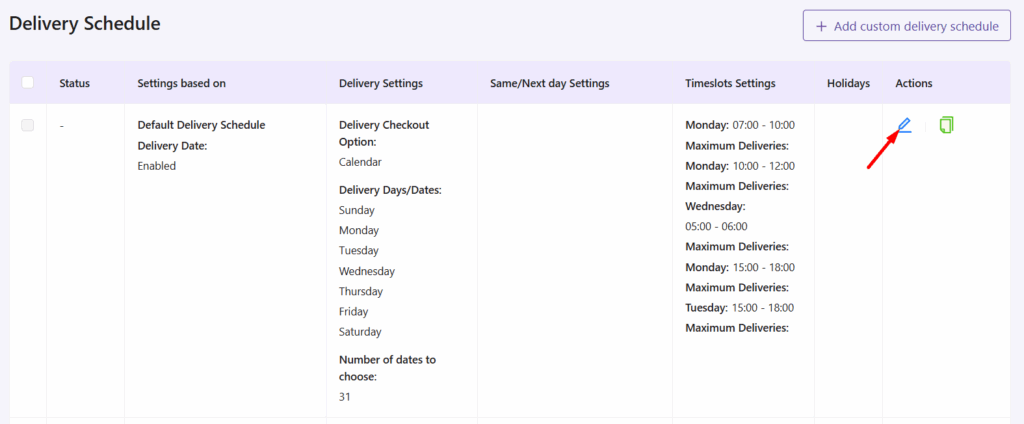
- Click the Edit icon for the delivery schedule you want to update.
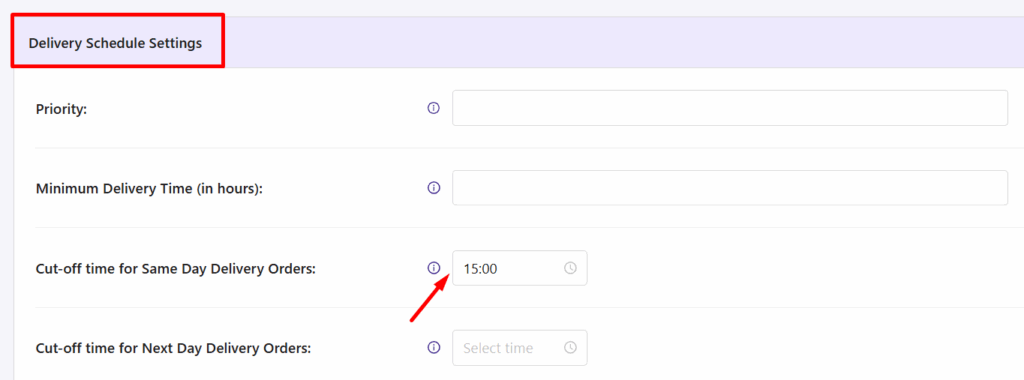
- In the Delivery Schedule Settings section, set the required cut-off time for the Same Day and Next Day Delivery Orders setting.
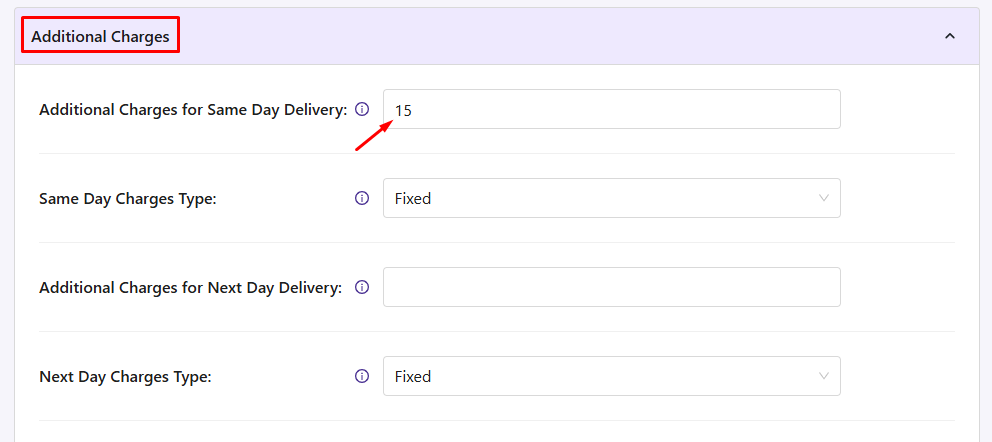
- In the Additional Charges section, enter the value 15 for the Additional Charges for Same Day Delivery. Using the same day charges type, you can set the charges type to be fixed or a percentage.
- Click on Save Settings.
Frontend Experience: What Your Customers Will See #
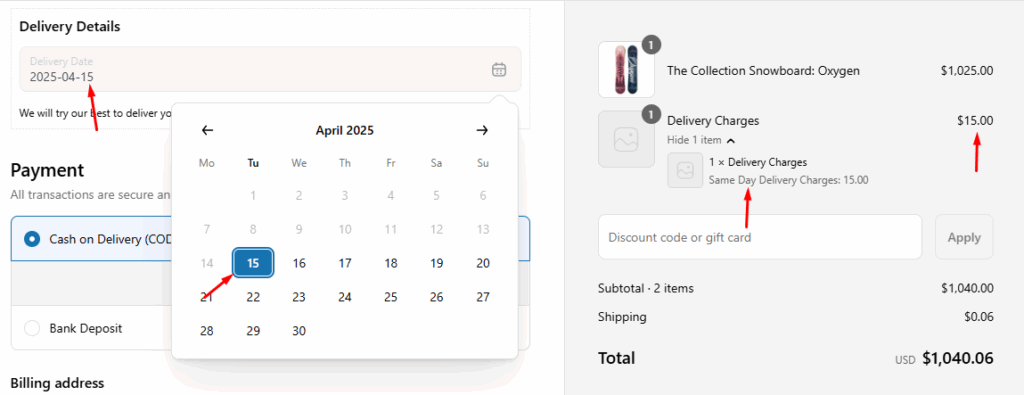
When a customer selects a delivery date that qualifies for Same Day Delivery, an additional charge of $15 is automatically applied at checkout.
Next Day Delivery Charges #
Next Day Delivery Charges let you apply an extra cost for delivering orders the next day after they are placed. Let’s say you run a bakery and want to offer Next Day Delivery with an additional $10 charge. You can configure this by:
Admin Configuration #
- Go to Apps > Flexi Delivery & Pickup Date > Delivery Schedule.
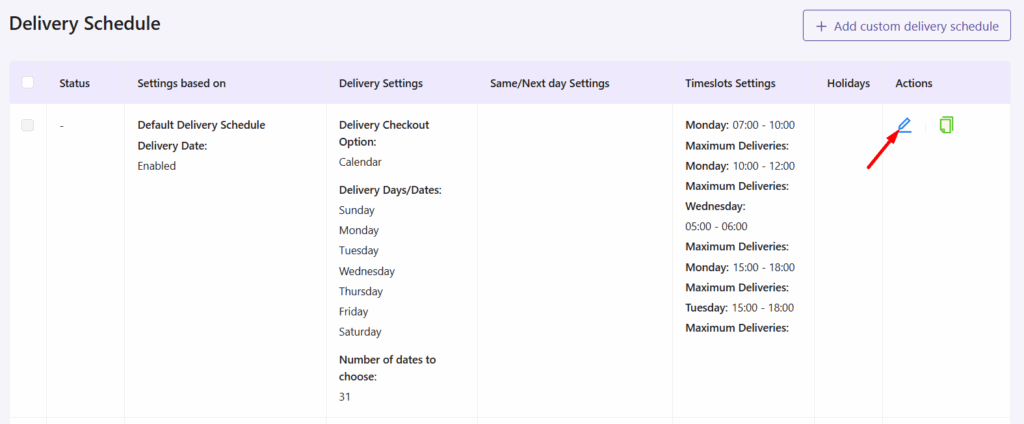
- Click the Edit icon for the delivery schedule you want to update.
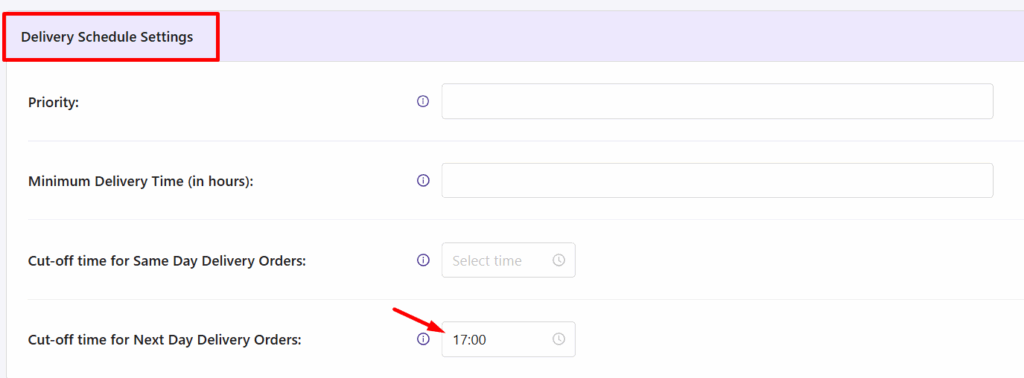
- In the Delivery Schedule Settings section, set the required cut-off time for the Next Day Delivery Orders setting.
- In the Additional Charges section, enter the value 10 for the Additional Charges for Next Day Delivery and select whether it’s a Fixed or Percentage charge.
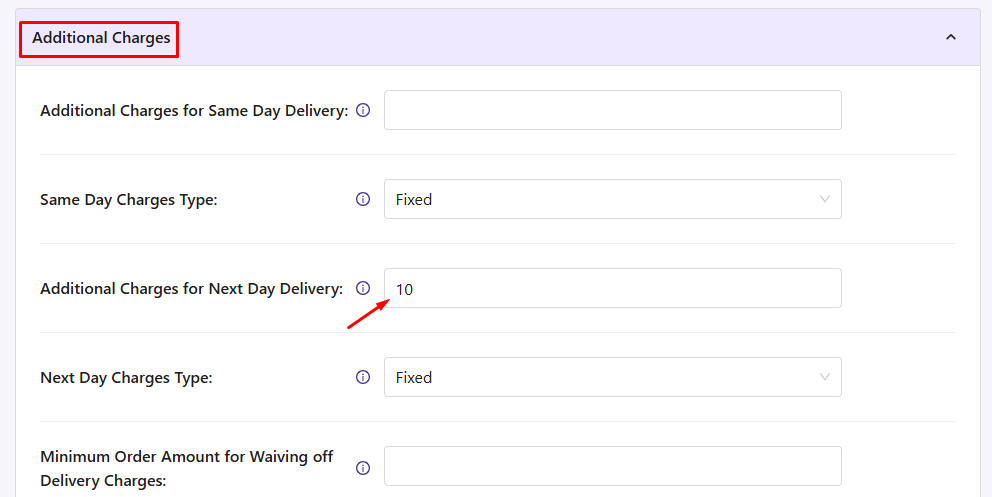
- Click on Save Settings.
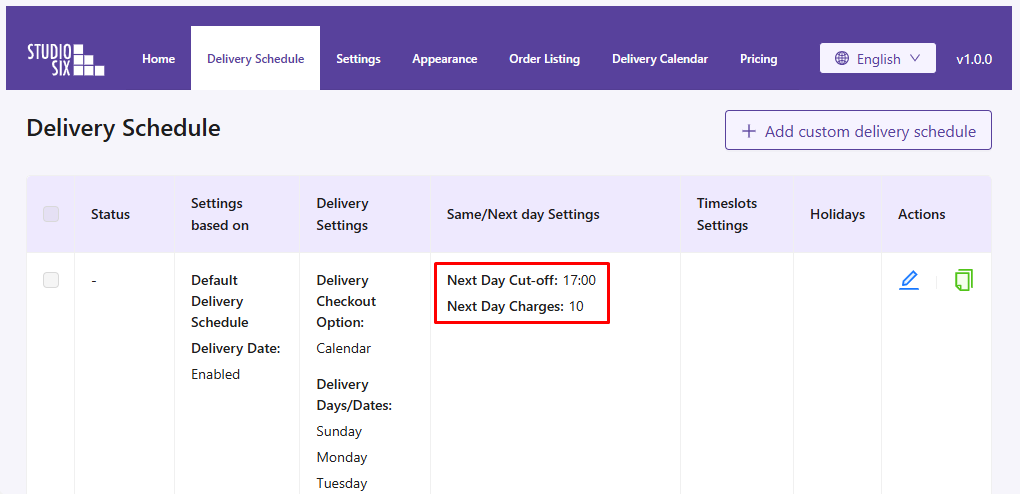
Frontend Experience: What Your Customers Will See #
When the customer selects the next day delivery date, an additional $10 charge will appear in the Order Summary table, as shown below:
OUTPUT NOT WORKING
If the customer changes the delivery date to any other day, or the cut-off time of the next day has passed, the additional charge will be automatically removed.
And that’s it! With our App, you can easily let your customers set the Same Day and Next Day Delivery charges!


