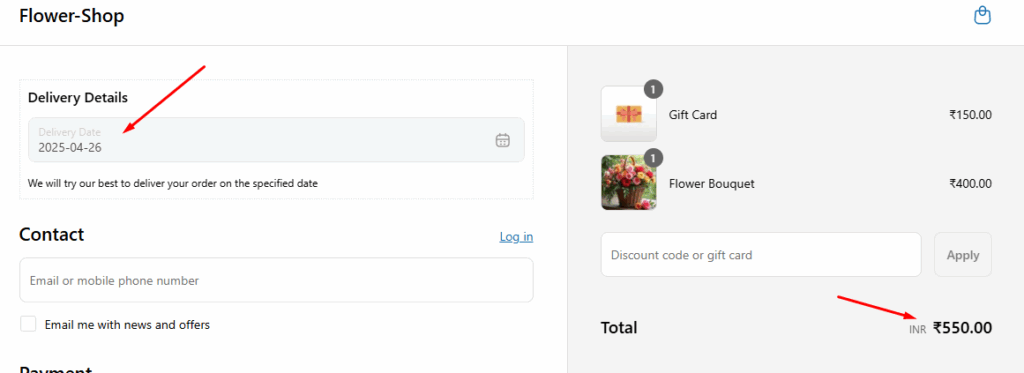
Setting a minimum order amount allows store owners to waive delivery charges and encourages customers to add more items to their cart.
Configuring the Minimum Order Amount to Waive Delivery Charges #
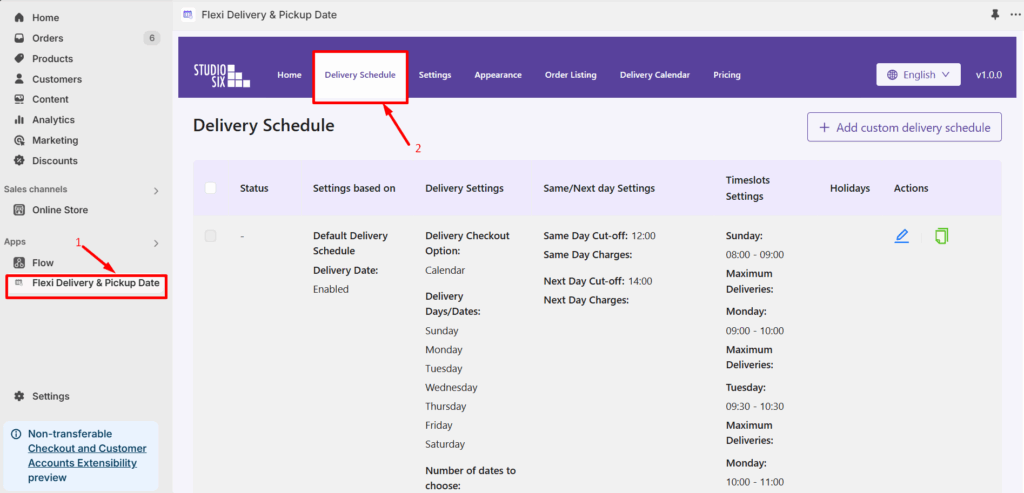
- Go to Apps> Flexi Delivery & Pickup Date > Delivery Schedule from your Shopify admin dashboard.
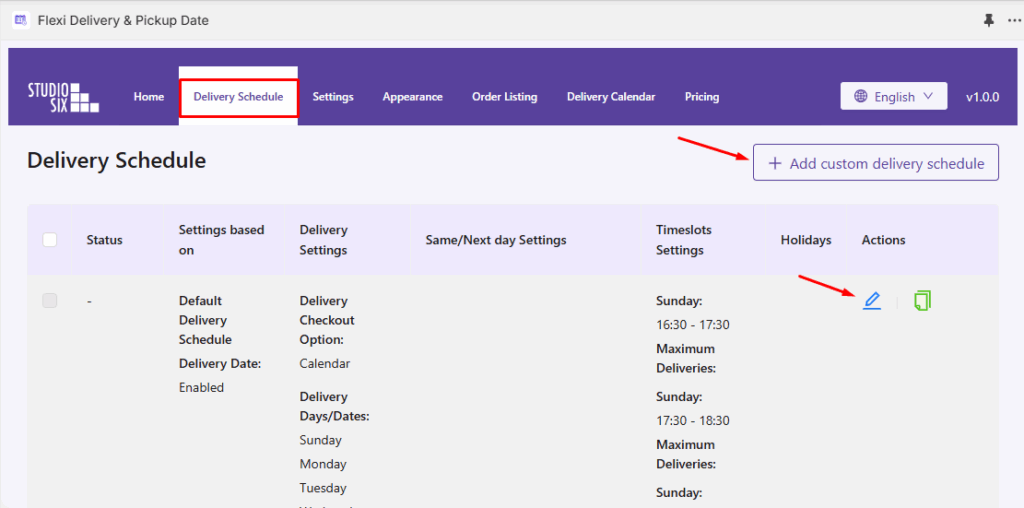
- Click on the ‘Add Custom Delivery Schedule‘ button to create a new delivery schedule. If you want to edit an existing schedule, click on the pencil icon.
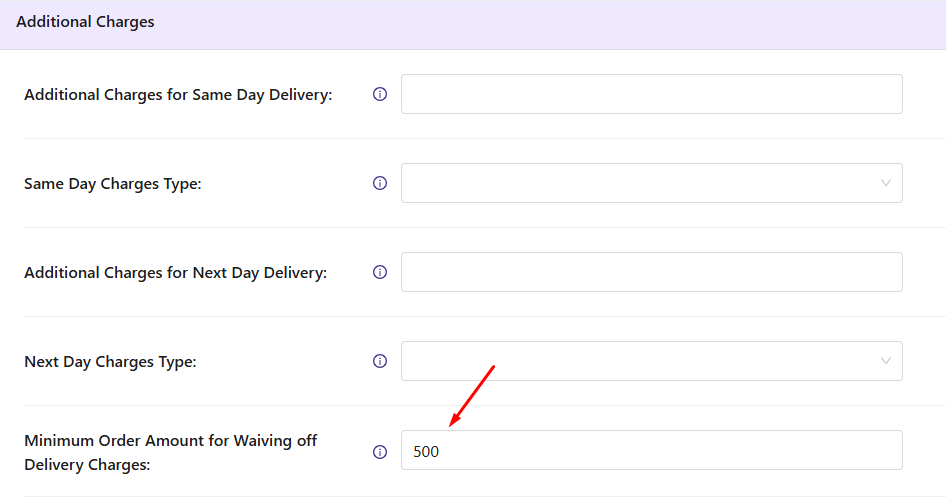
- Scroll down to the Additional Charges section.
- Within the Additional Charges settings, you will find the Minimum Order Amount option, which allows you to set the required order value for waiving delivery charges.
Frontend Experience: What Your Customers Will See #
To understand how delivery charges are waived, you must have already set up additional delivery charges, such as those for specific weekdays or specific dates.
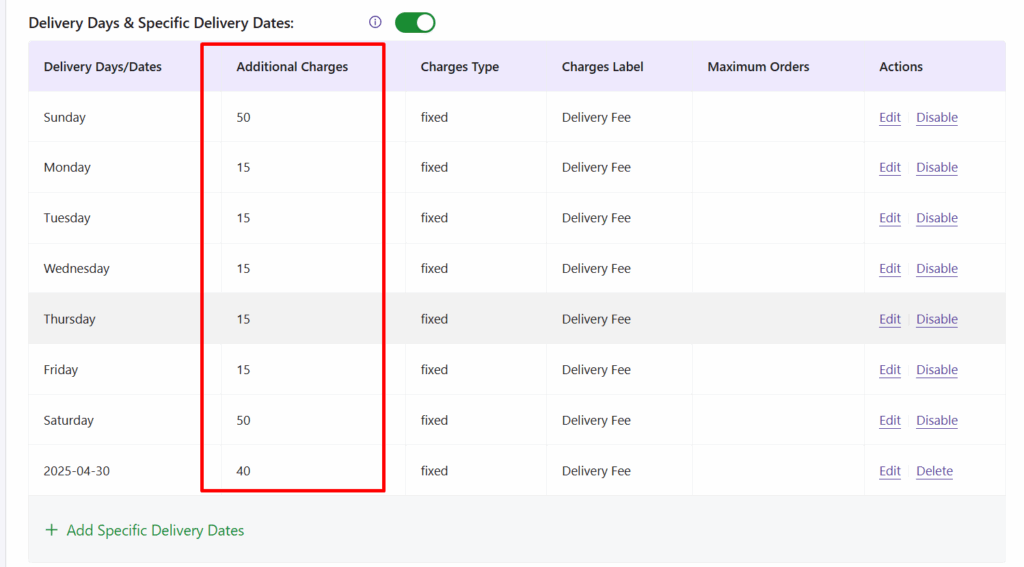
If a customer selects a weekend delivery date and their order total is less than the set minimum value of $500, a $50 delivery charge will be added.
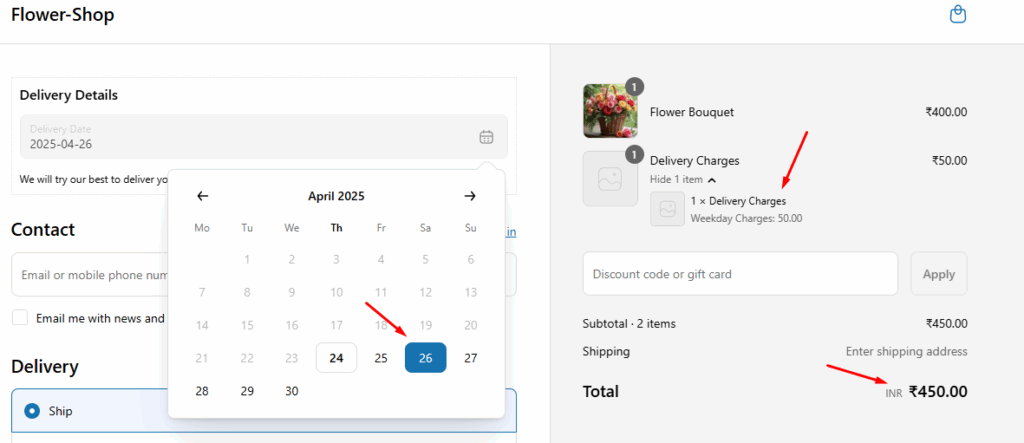
However, if the order total exceeds the set minimum amount of $500, all additional delivery charges will be waived, resulting in free delivery.