Rush delivery charges allow you to apply additional fees based on the urgency of the delivery, rather than just weekday-based charges, same-day, or next-day charges.
For example, you can set higher fees for deliveries required within 3 days from the order date. This feature works for both default and custom delivery schedules.
Set Up Rush Delivery Charges #
- From your Shopify dashboard go to Apps > Flexi Delivery & Pickup Date > Delivery Schedule.
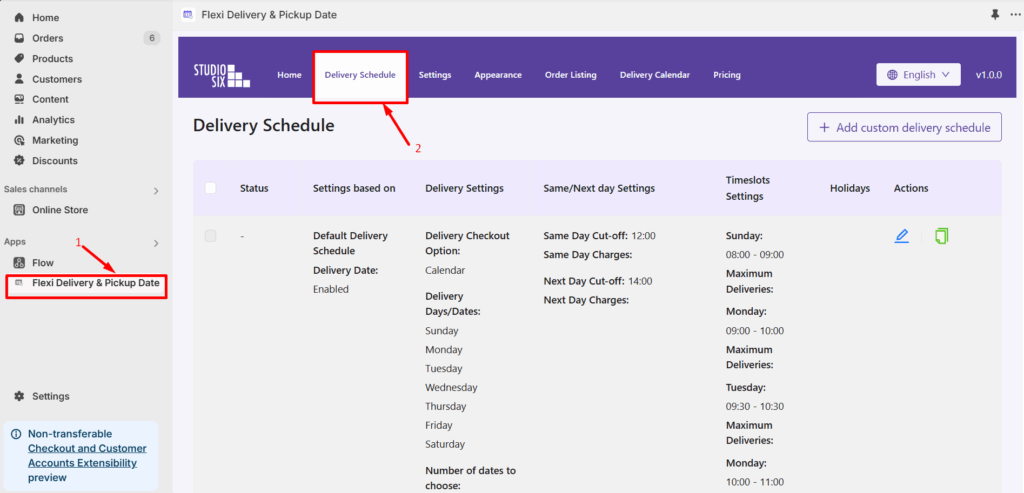
- Click the Edit(pencil) icon to edit the default schedule.
- Scroll down to the Additional Charges section. Enable Rush Delivery Charges by turning on the option of Delivery Charges Based on Number of Days.
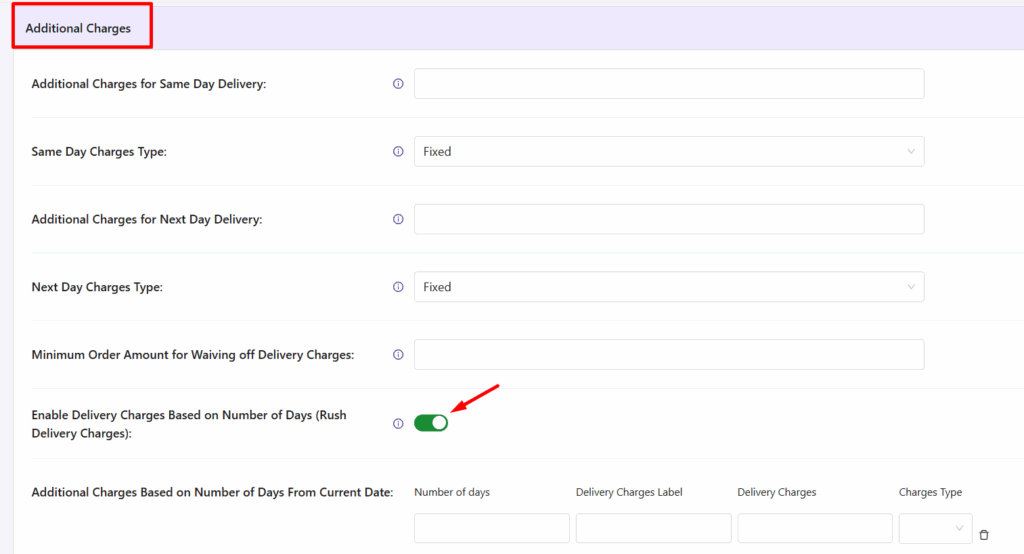
- Below that, you’ll find the Additional Charges Based on Number of Days From Current Date option. This allows you to:
- Set the Number of Days for the delivery (e.g., 3 days).
- Enter a Label for the delivery charge (e.g., Rush Delivery Fee).
- Define the Charge Amount to be applied (e.g., 15).
- Select the Charge Type – Choose whether the charge is a Fixed amount or Percentage-based.
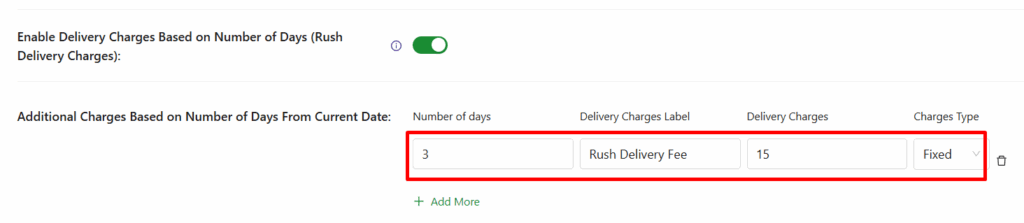
- To add a new charge: Click the “+Add more” button to create additional delivery fee rules.
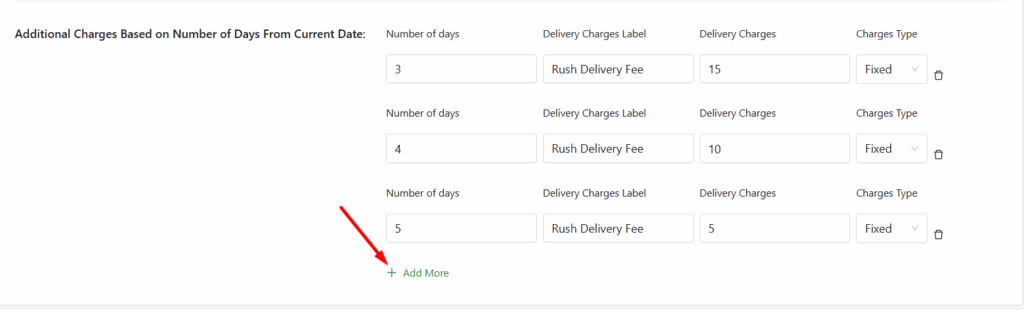
- To delete a charge: Click the Delete icon (on the right side of any charge entry).
- Save the settings once you are done.
Frontend Experience: What Your Customers Will See #
When a customer selects a delivery date that falls within the specified rush delivery range (e.g., 2, 3, 4, or 5 days from the current date), they will see an additional delivery charge applied automatically.
Not getting the output


