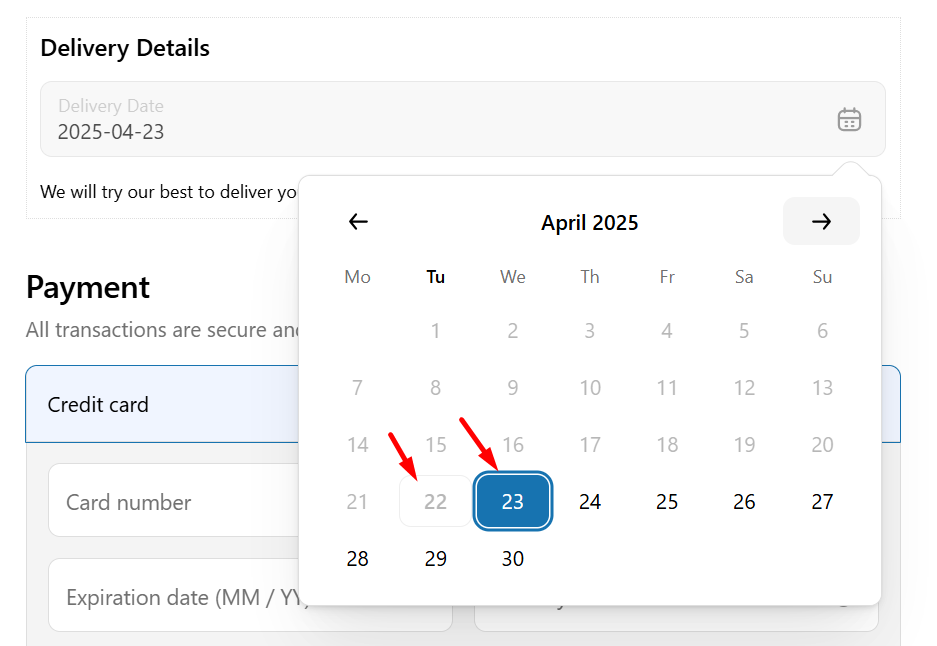
How does it work? #
Setting your store’s business hours ensures that deliveries are calculated only during your actual working days and times. When business hours are not set, then the minimum delivery time is calculated based on 24 working hours.
Set Up Delivery Calculation by Working Days #
- From your Shopify admin panel, go to Apps>Flexi Delivery & Pickup Date > Settings > and click on the Business Days tab. This is where you can manage your store’s working days and hours.

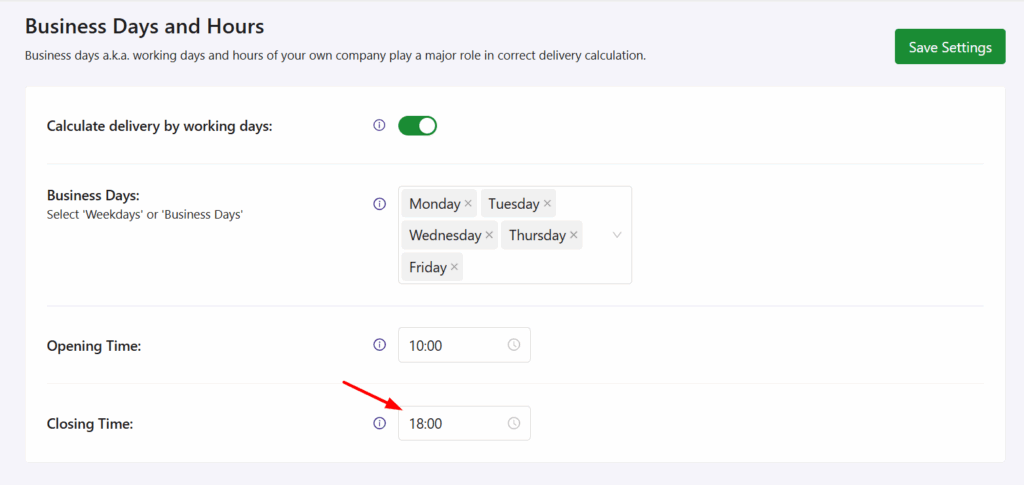
- Enable the ‘Calculate delivery by working days:’ setting.

- From the Business days dropdown, select the days your store is open.

In the Opening Time dropdown, choose the time your store opens. For example, select 10:00 if your store opens at 10 AM in the morning.

In the Closing Time dropdown, choose when your store closes. For example, select 18:00 if you close the store at 6 PM.
- Click the save settings button.
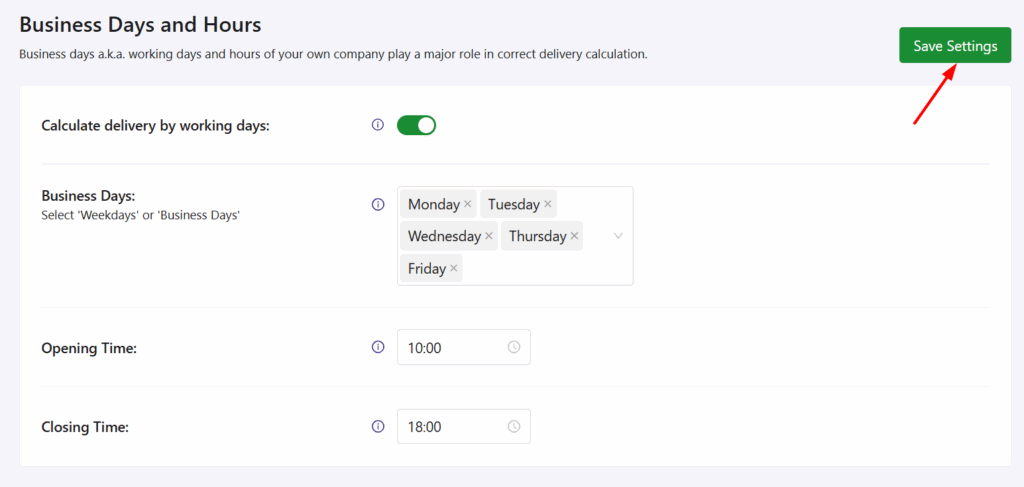
That’s it! Now, your store will calculate delivery dates only based on the days and times you’ve set.
Note: You can leave this setting unchanged if your store is handling delivery & shipping on your own instead of a 3rd party provider (like Fedex, UPS, etc.)
How does Minimum Delivery Time work when Business Days and Hours are enabled? #
To manage delivery timings accurately, you need to set your business hours and the minimum delivery time.
Step 1: Set Minimum Delivery Time #
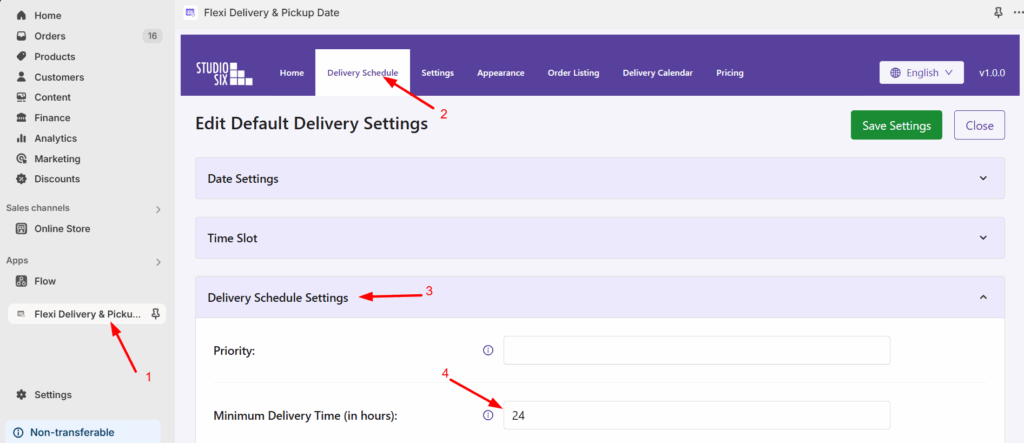
- Go to Apps> Flexi Delivery & Pickup Date > Delivery Schedule > Delivery Settings tab.
- Under Minimum Delivery Time, set it to 24 hours.
Step 2: Set Business Working Days and Hours #
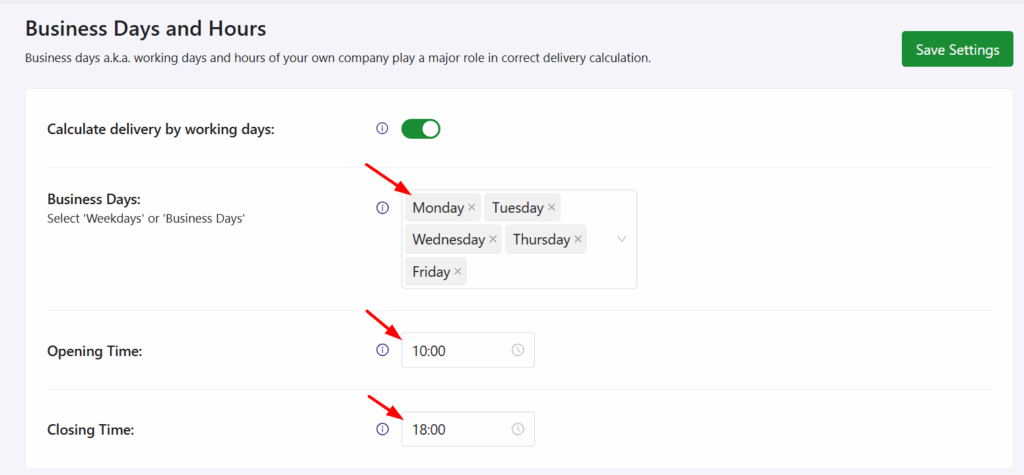
If your Minimum Delivery Time is set to 24 hours and a customer places an order on Tuesday at 10 AM, the first available delivery date is calculated based on your business hours.
Suppose your business operates from 10:00 AM to 6:00 PM, Monday to Friday, which provides 8 working hours per day:
- Tuesday: 8 hours
- Wednesday: 8 hours
- Thursday: 8 hours
Total = 24 hours → First delivery available: Friday
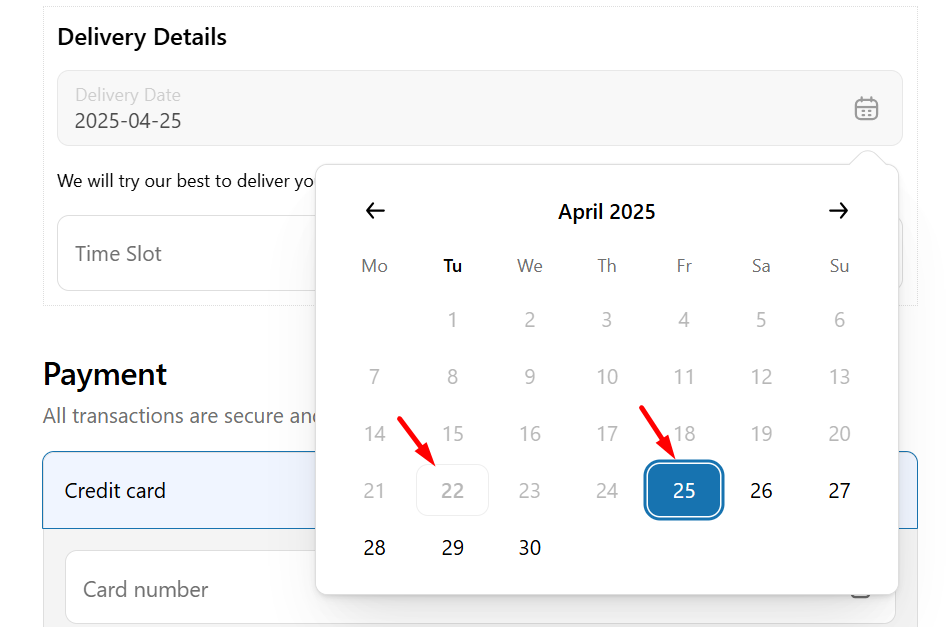
Delivery Calculation when Working Days are Disabled #
If the “Calculate delivery by working days” option is turned off, it’s assumed that your store is open all day, every day from 00:01 to 23:59.
So, if a customer places an order on Tuesday, then Wednesday is shown as the first available delivery date, even if your real business hours are different.