Follow the steps below to uninstall the Flexi Delivery & Pickup Date app from your Shopify admin:
- Log in to your Shopify admin panel.
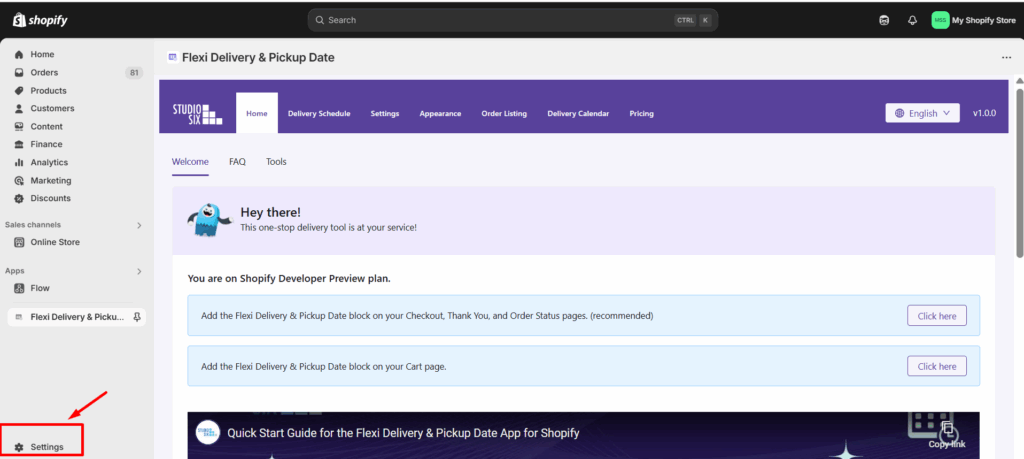
- From the left-hand sidebar, click on Settings.
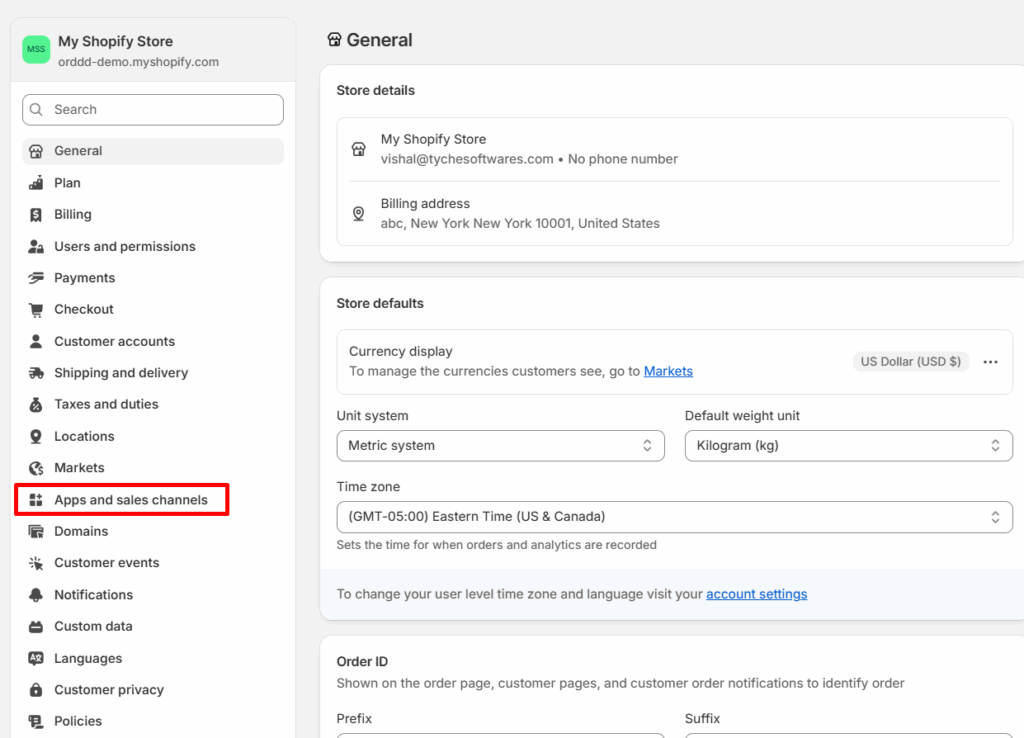
- In the Settings menu, select Apps and sales channels.
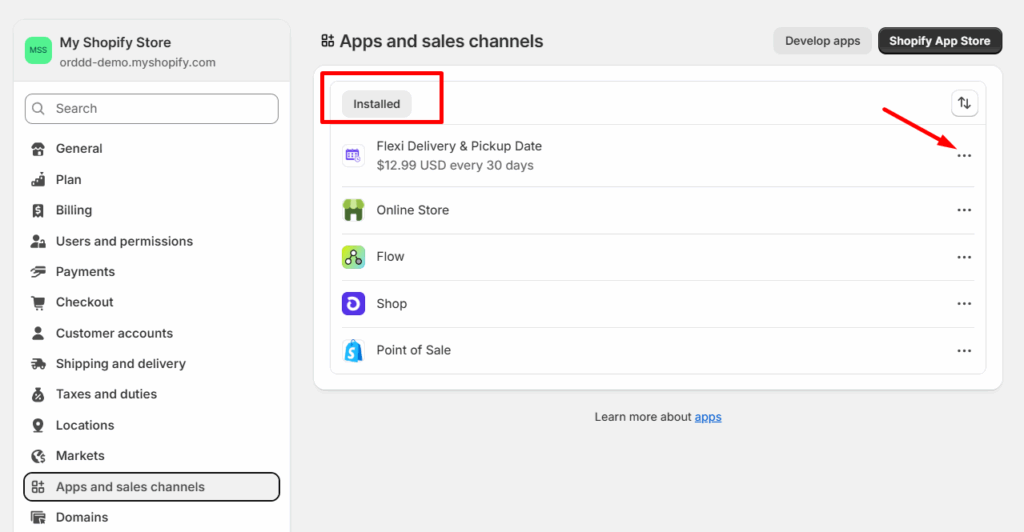
- Under the Installed section, locate the app named Flexi Delivery & Pickup Date.
- Click on the three-dot icon (⋯) located on the right side of the app name.
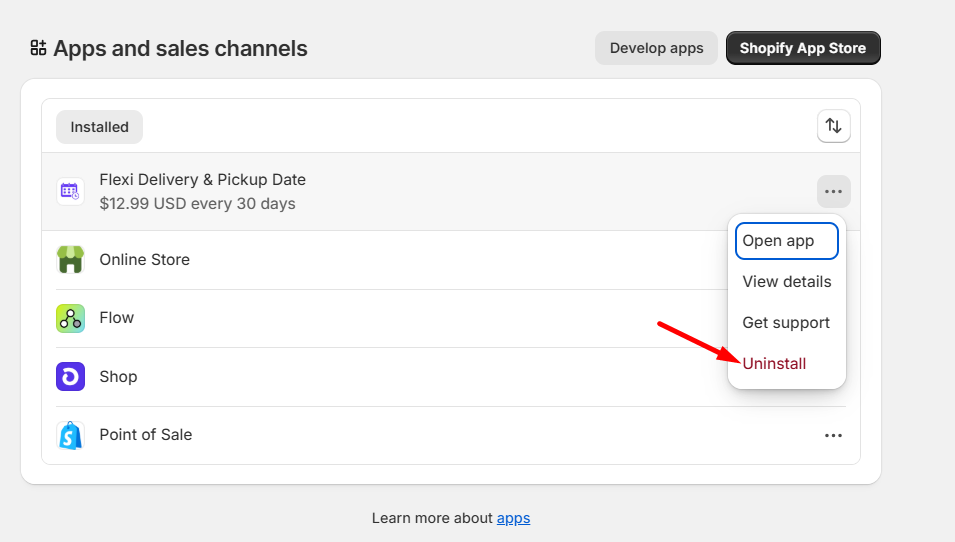
- From the dropdown menu, select Uninstall.
- (Optional) If prompted, provide a reason for uninstalling and click Uninstall again to confirm.
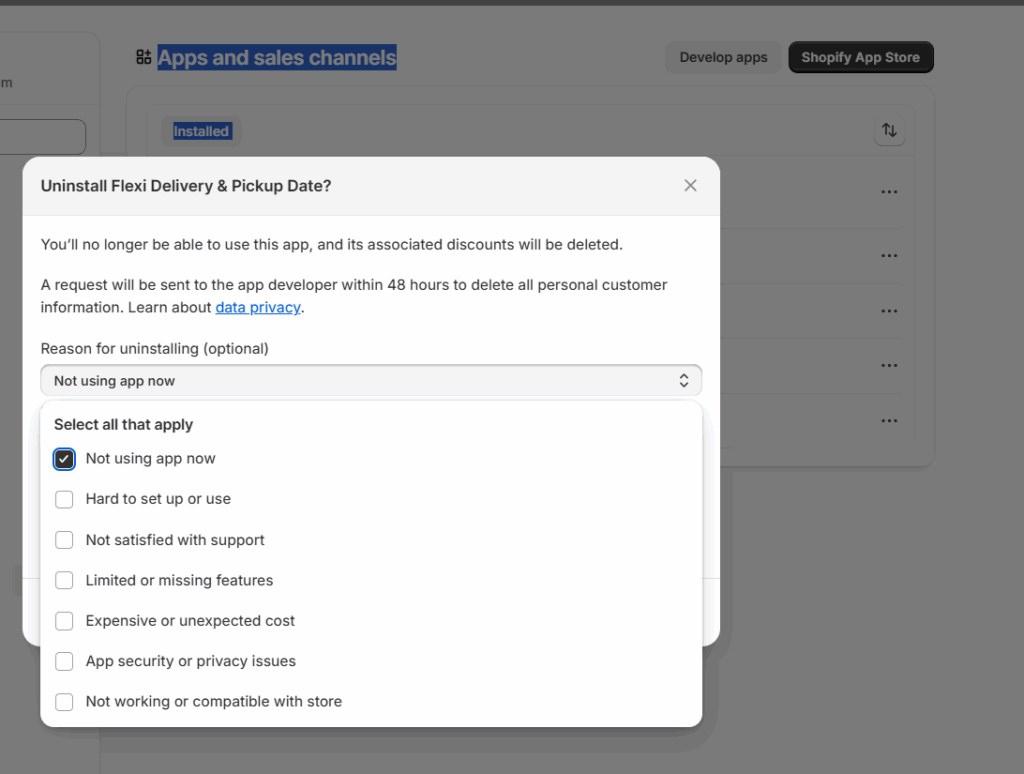
Once completed, the app will be removed from your store.


