Some customers may need their orders delivered urgently. The ‘As Soon As Possible’ delivery option helps you meet that need by offering faster service and allowing you to apply extra charges for the added convenience.
Steps to Configure ‘As Soon As Possible’ time slot option #
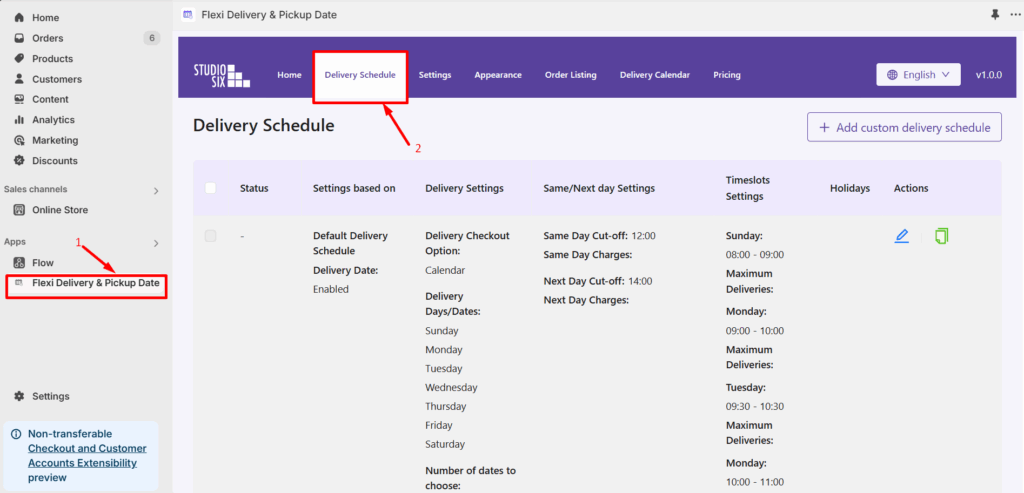
- From your Shopify admin dashboard, go to Apps > Flexi Delivery & Pickup Date > Delivery Schedule.
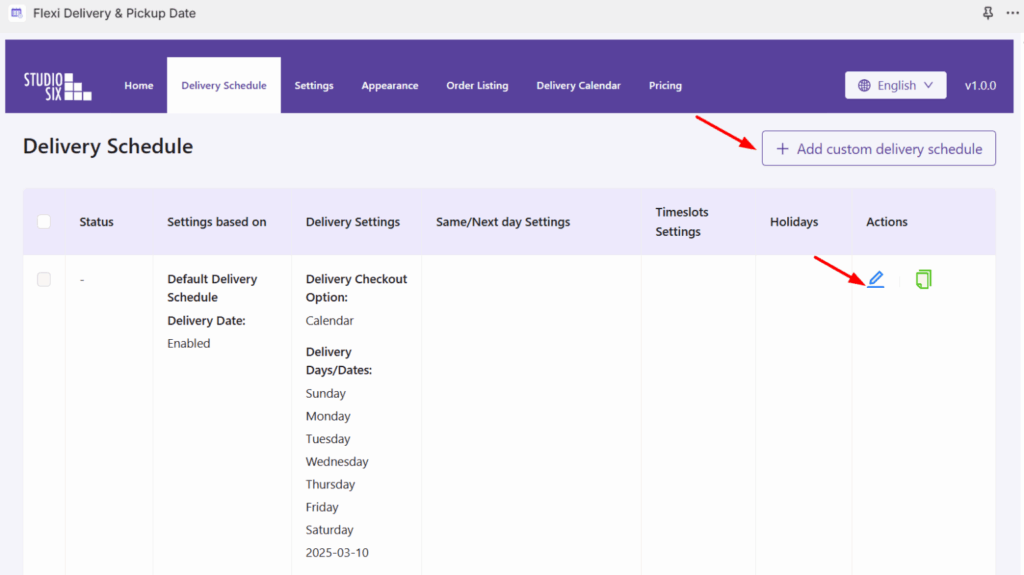
- Click the Edit icon to edit an existing delivery schedule, or click Add Custom Delivery Schedule to create a new one. Once you choose a delivery schedule, we will proceed to enable the weekdays on that selected schedule.
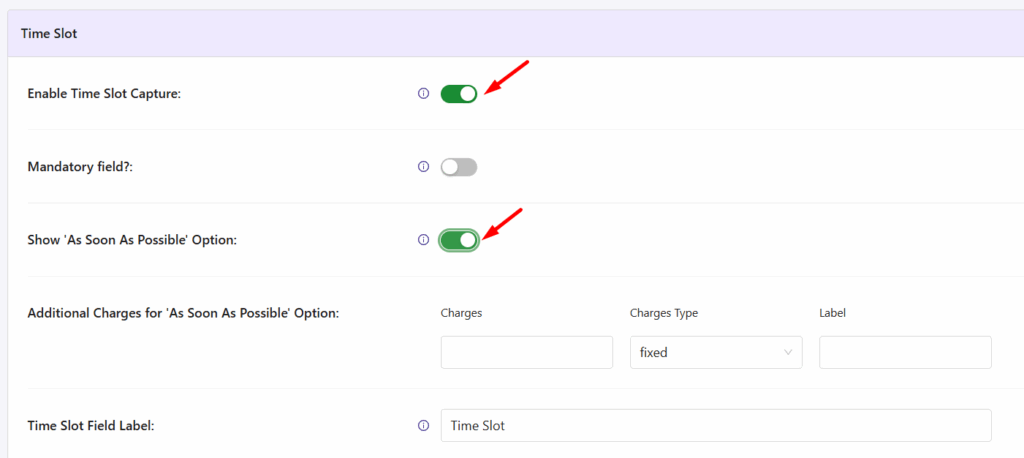
- Go to the Time Slot section. Enable the option ‘Enable Time Slot Capture‘ and Show ‘As Soon As Possible’ Option which will display an additional field.
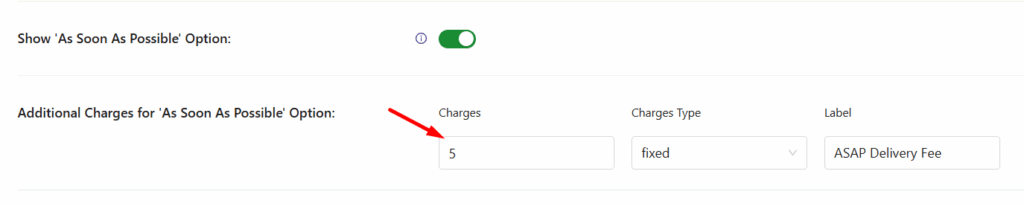
Once the ‘As Soon As Possible’ option is enabled, it will display additional fields like:
- Additional Charges: Enter the amount (e.g., 5).
- Charges Type: Choose between Fixed (e.g., $5) or Percentage (e.g., 5% of order total).
- Label: Add a label like “Additional Charges for ASAP Delivery”.
- Click Save Settings once you’re done.
Frontend Experience: What Your Customers Will See


