The “Maximum order deliveries” setting lets you set a global delivery limit, which controls how many total deliveries you can handle in a day.
For example, suppose you run a daily meal delivery service and can handle only 30 orders daily. In that case, the Global Delivery Limit helps block the date once those 30 orders are booked, preventing overbooking.
How to Set Maximum Order Deliveries Globally? #
- From your Shopify admin dashboard, go to Apps > Flexi Delivery & Pickup Date > Settings > Common Schedule Settings.
- Click on the edit icon (pencil icon) on your preferred delivery schedule.
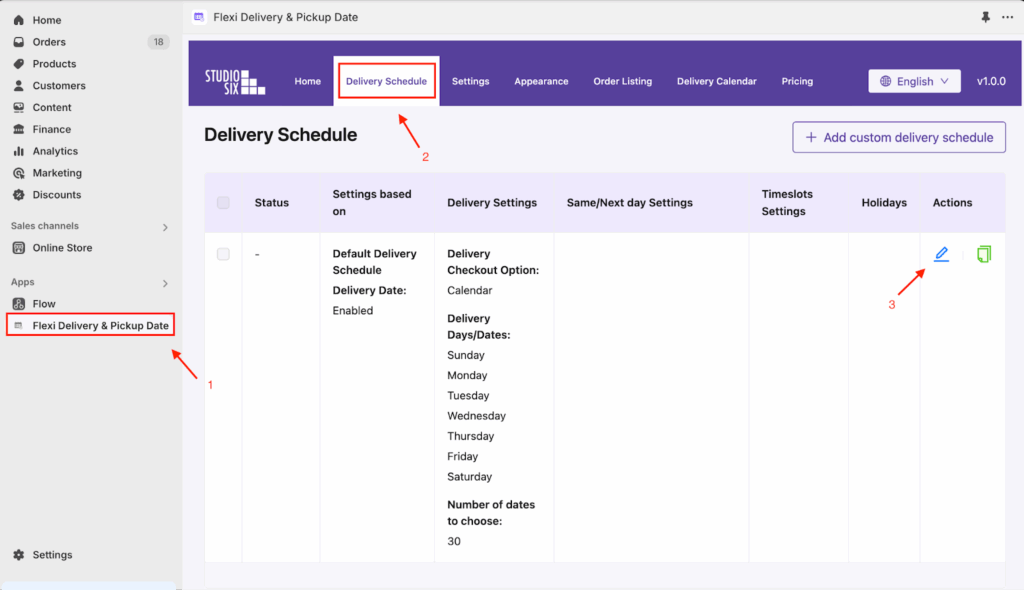
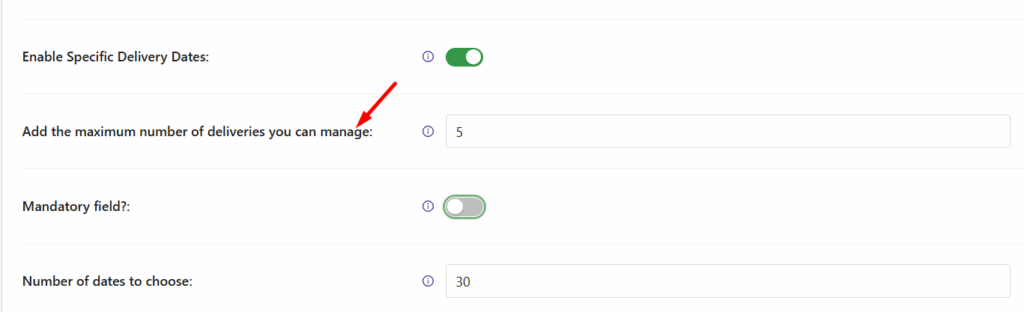
- Go to the Date Settings dropdown. Under it, navigate to Add the maximum number of deliveries you can manage. This is where you enter the maximum number of orders you can deliver per day
Frontend Experience: What Your Customers Will See #
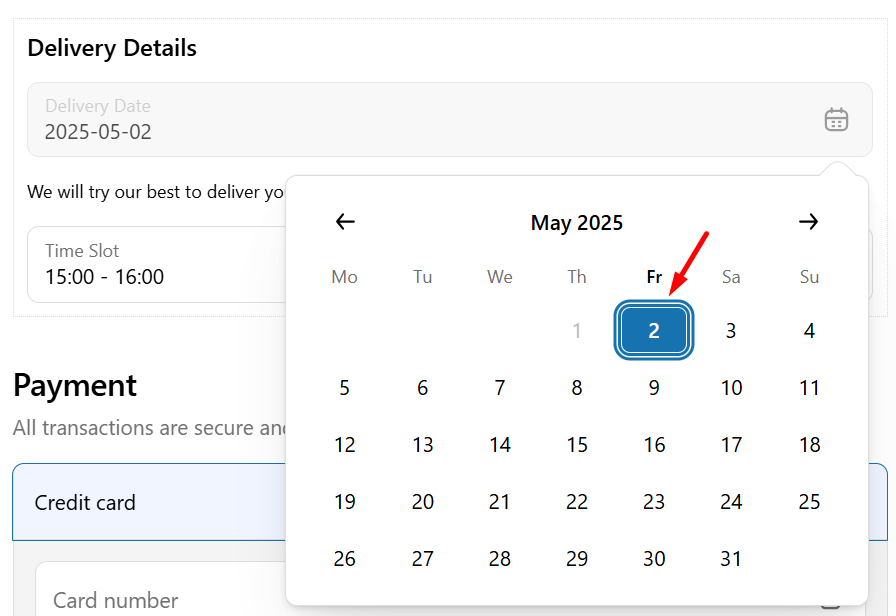
Let’s say 5 customers place an order on 2nd May 2025. With the Global Delivery Limit set to 5, the date will be available till the 5th order is placed.
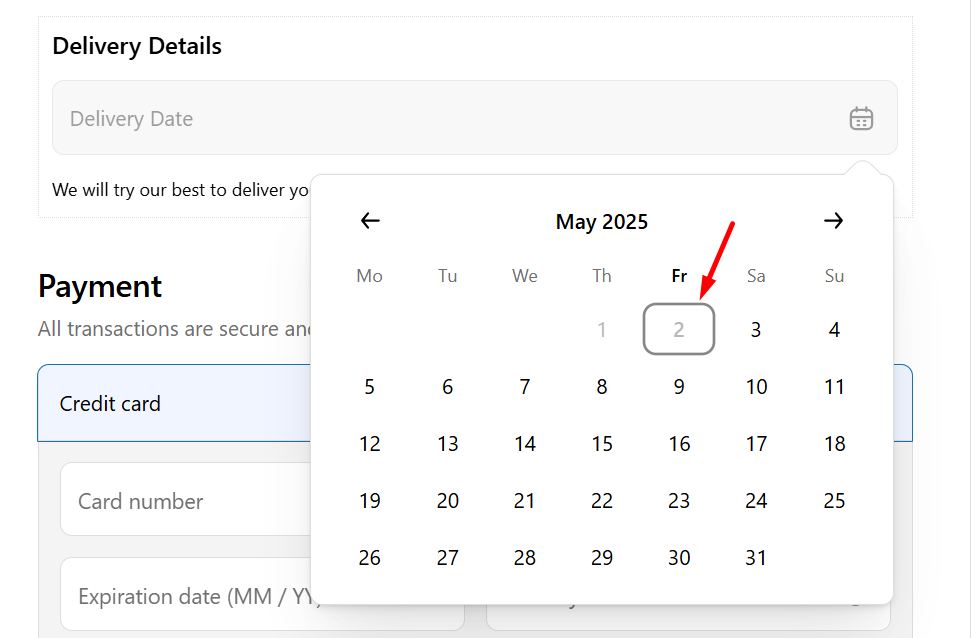
When the 6th customer tries to book, 2nd May 2025 is no longer available on the calendar.
Note: Additionally, you can set different maximum order limits for specific days/dates, such as 10 orders on Sundays and 20 orders on Mondays, to manage varying demand on different days.


